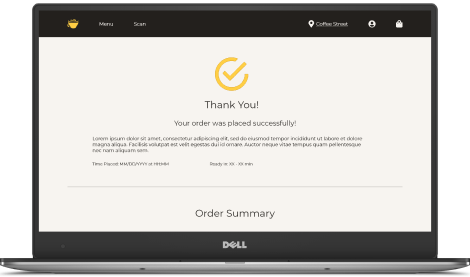
The user flow I focused on was ordering a drink - a hot tea, specifically. When I first made the “Menu” wireframes, I had a grid of outlined cards contained within in their own scrollable section. However, with the lack of color and different states of the elements like the buttons and cards, users could figure out which elements should be clickable in a finished product, but not what elements were currently active. When I transitioned to mockups, I used color to indicate a hover state on interactive elements, like the specific drink users could order. I also used the gold accent color to define the important “call-to-action” elements, like buttons, and created a disabled state for elements that weren’t currently active. I removed the inner scrollable section, since that was confusing users, and I also got rid of the outlines, since with the new background color they made the site look like a static HTML webpage.
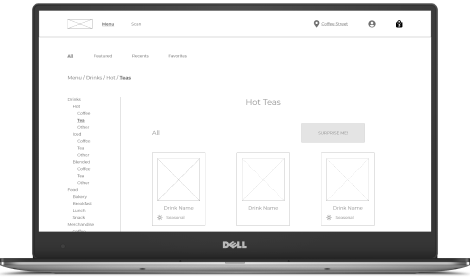
Wireframe of the “Hot Teas” section of the “Menu” page. The whole page scrolls down to reveal the footer, and the “Hot Teas” section scrolls to reveal more teas.
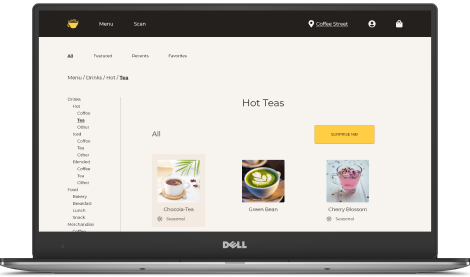
Mockup of the “Hot Teas” section. The only selectable tea, the “Chocola-Tea,” changes background color on hover on the desktop version (shown above).
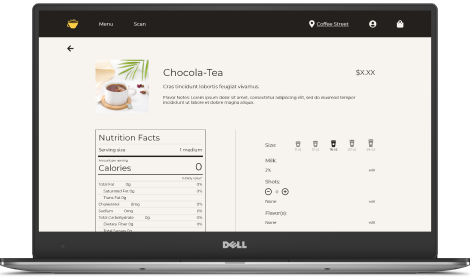
When it came to checking out, I only created one wireframe for the payment page with a blank form for data entry. Since any filled entry pages would have been practically identical to the blank one and didn’t really need designing, I thought I wouldn’t need to include them since users know what to do there. However, during testing, users kept getting frustrated when they couldn’t input the information into the form, so I added additional mockup pages with filled in entries of how the user wanted to pay for their order.
Initial wireframe of the payment page, with a blank form and a set card selection.
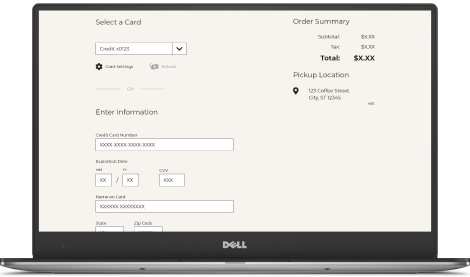
Mockup of the payment page. The form fills itself when any field is selected, and the dropdown menu to select a card works and has two options.
In the end, users did think the ordering and process was fairly intuitive, even with these pain points present. Another test on the mockups should be done to determine if the new changes help or hinder that belief.
"It was pretty easy to use after only seeing it once."
- Quote from a study participant





.png)